

Fixed, multilane countertop terminal used with the Payroc/Odoo POS integration. Powered by Payroc Cloud for ISV integration - this is the device most PBS managed retail sites will have at checkout lanes.
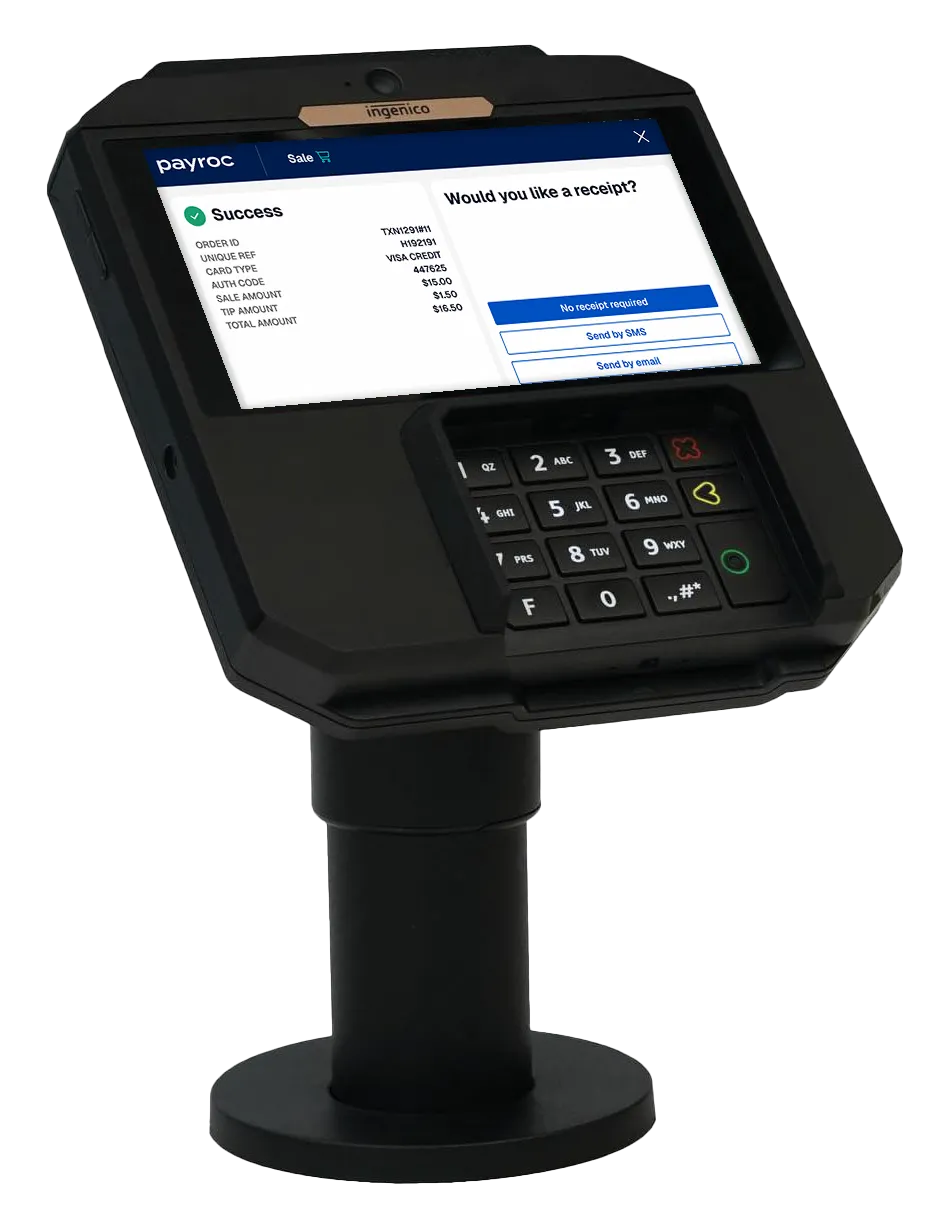
Specs at a glance
|
Item |
Detail |
|---|---|
|
Display |
5.5" HD capacitive touch, 1280x720 |
|
OS |
Android 11 |
|
Processor |
Cortex Quad-core A55, 1.8GHz |
|
Memory |
8/16/32GB flash, 1/2/4GB RAM (varies by unit) |
|
Connectivity |
USB host/device, Ethernet, RS232, optional Wi-Fi/BT |
|
Power |
8–14VDC via IDMI connector - power supply or POE (802.3af class 0) |
|
Mounting |
Standpole only (UPM pattern) - does not sit flat on a counter as-is |
Full datasheet (PDF) · Ingenico User Guide (PDF)
Rebooting the terminal
The RX7000 has no physical power button. To force a reboot:
-
Press and hold the .,#\* key and the yellow Cancel key at the same time.
-
The terminal will restart on its own - no need to hold past the point it goes dark.
If that doesn't bring it back, the fallback is a hard power cycle:
-
Unplug the IDMI/power cable from the terminal.
-
Wait 10 seconds.
-
Reconnect. Only use the power supply that shipped with the unit - a similar-spec third-party supply can damage the terminal.
Card acceptance notes
-
Swipe: magnetic stripe faces the terminal body, slide back-to-front.
-
Insert: chip faces up, into the reader.
-
Contactless: hold the card ~1cm from the contactless logo; four status lights confirm a successful read (all four lit + tone).
Placement / installation gotchas
-
Must be mounted on the standpole adapter - no flat-surface mount option out of the box.
-
Keep at least 12" away from active (powered) security-tag deactivation pads; passive/magnetic pads are fine.
-
Indoor use only; avoid heat sources, dust, and proximity to anti-shoplifting barriers or monitors.
Cleaning / maintenance
-
Unplug before cleaning.
-
No solvents, detergents, or abrasive cleaners - they can damage the housing or contacts.
-
Nothing should go into the smart card reader slot.
Support
-
Payroc device support: 888.477.4510 / support@payroc.com
-
Payroc Support Hub: https://support.payroc.com/